KORONA has a custom service to generate a report for the RITS (TABC) reporting requirement for some states. This service allows you to download Excel or CSV files for monthly reporting to your state, and will eliminate the hassle of having to create this report manually.
Requirements
Adding the Service to Your Account
This custom service requires a KORONA Integration token, which is $45/mo (flat fee, not per POS or Organizational Unit).
To add the Integration token, click on your username in the top left, go to My KORONA Studio Packages, and press Expand.

Increase the token count to 1, and then finish the checkout process.
Once the token has been added to your account, reach out to KORONA support via email at support@koronapos.com and let them know you want to add the RITS/TABC service. A member of the support team will get back to you once it is added.
Setting Up Your Products
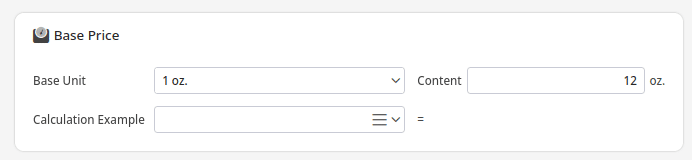
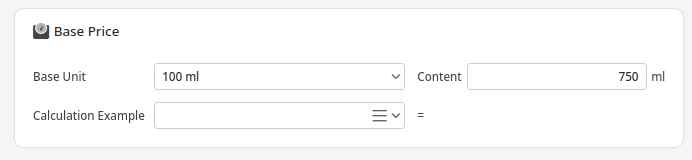
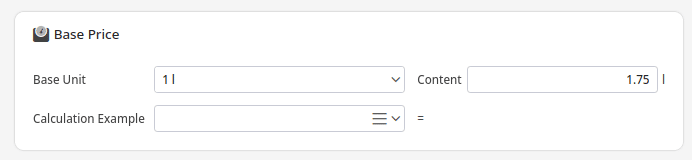
For the report to know the correct size of your alcohol products (in L, ML, etc), you have to fill out the “Base Price” section for your products.
Below are some example pictures of different sizes in that section. If you are a new customer, you can request this during your product import. If you are an existing customer, you can reach out to support@koronapos.com for assistance in importing the size field.
Using the Service
You will find the RITS/TABC report under the Evaluations section.
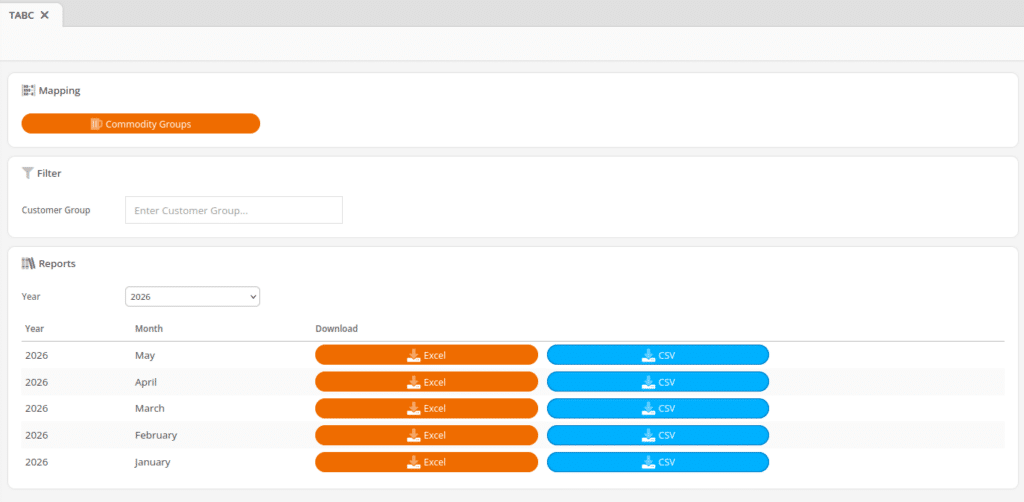
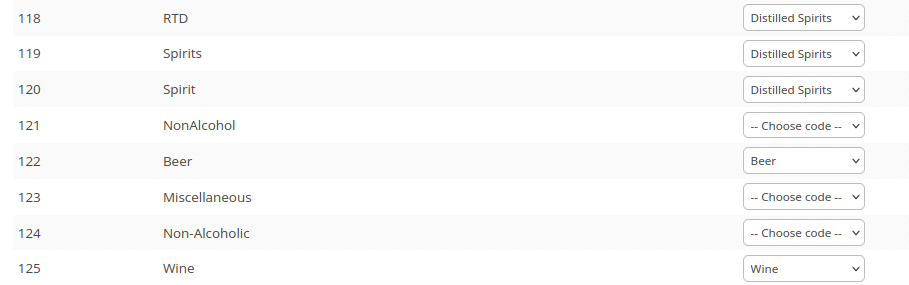
The Mapping section allows you to designate what beverage class each of your commodity groups are. The available options are DS (distilled spirits), W (wine), B (beer), ML (malt liquor).
The Filter section allows you to pick which customer groups receipts should show up in the report. This allows you to make a “Wholesale” or other customer groups so that only those are exported. In the newest version (not shown), there is also a selection for Organizational Unit so you can run the report per store.
The Reports section allows you to select a year and then download either an Excel or CSV file for each month.
Preview of the Report
Below is an example of a generated report. Depending on your state, you may have to rename the column headers.

The customer columns are populated from the customer information saved in KORONA. You can either use the Customer Number or Tax ID columns to input the customer’s RITS/TABC number.
Permissions
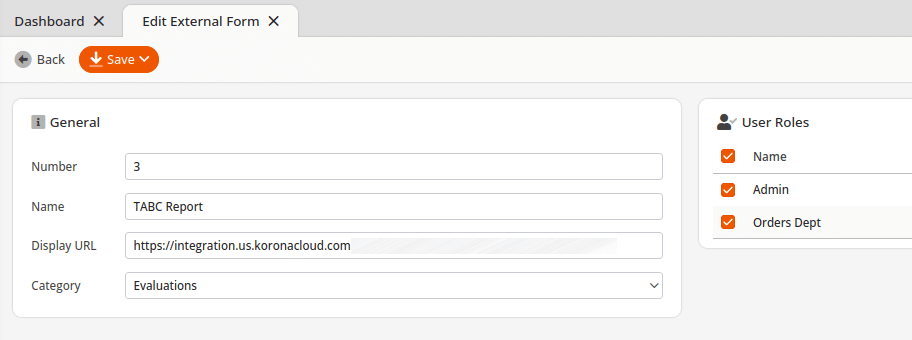
If you or another user does not see the RITS/TABC report listed, you may need to edit the permissions for that user role. Go to Settings > External Forms (you may need to edit menu entries) and then edit the report service. On the right side, you can modify the permissions per user role.