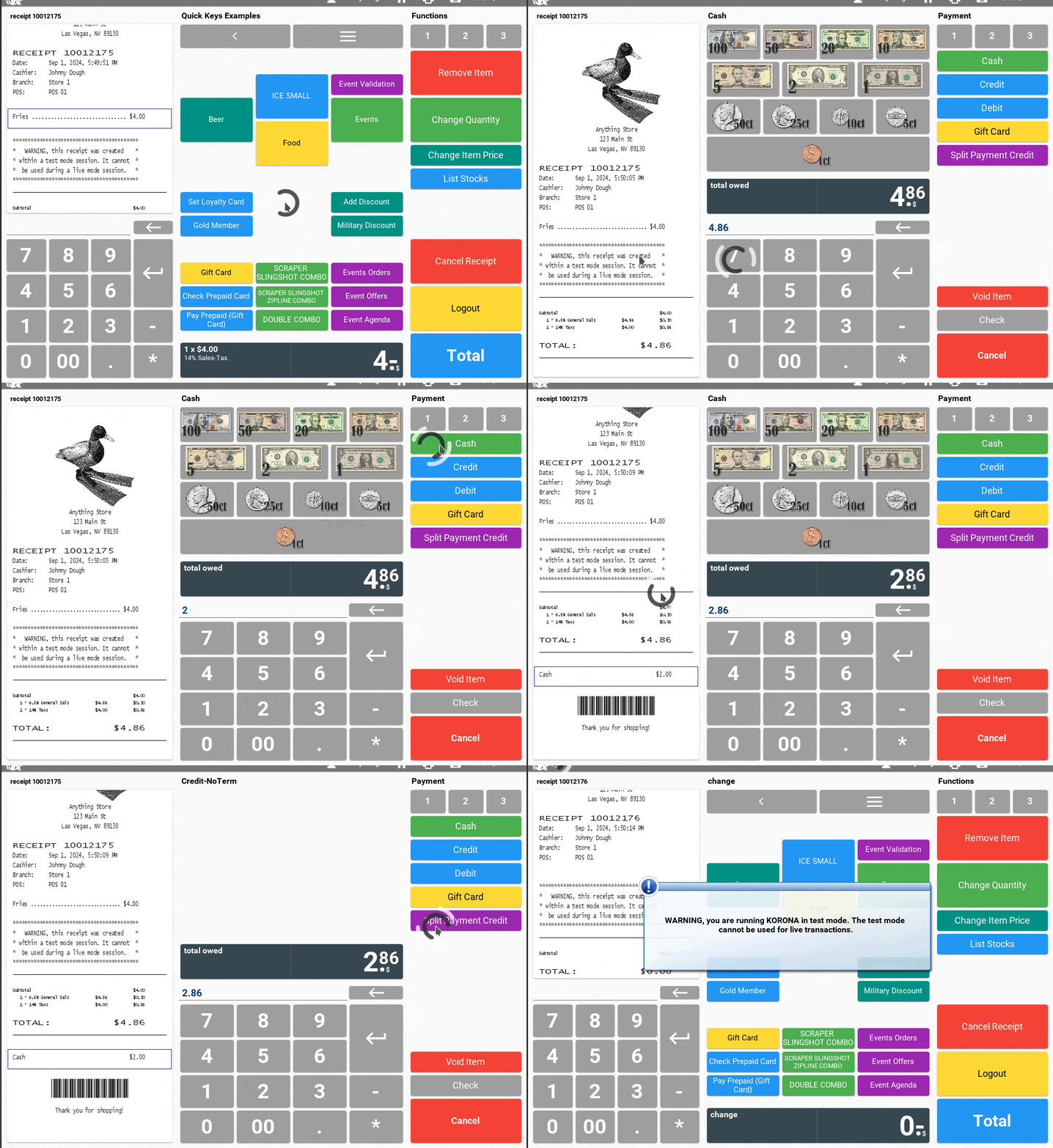
- Proceed to checkout
Click on the “Total” button to move to the payment screen. - Choose Split Payment
On the payment screen, look for an option that says “Split Payment”. If you haven’t changed anything this is set to credit. After pressing the button then press the amount you want to charge to the credit card and press ‘enter’. - Next Payment
The remaining total will then be on the enter line. If the next payment will also be partial credit you can repeat the previous process.
If the next payment is for the remainder in credit again, hit credit, then enter.
If the next payment is for the remaining total you can just hit ‘cash’ or if the customer is giving you more than the remaining total in cash, enter that amount first, then hit ‘Cash’.
Once all payments are entered and the total amount is covered, finalize the transaction.
The system will process the payments and complete the sale.