Cloud Update
While the cloud update is being performed the back office might not be accessible for up to 2 hours.
The update is currently planned to be performed between Wednesday, 4/8/2026 between 1:00am and 3:00am PST.
This latest cloud update is mostly focused on reports, particularly for multiple locations.
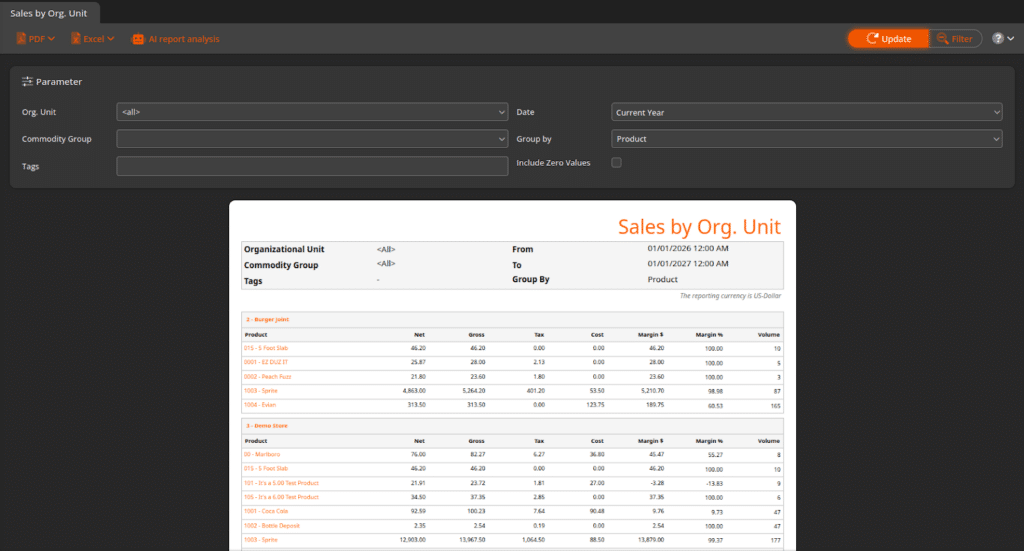
New Report: Sales by Organizational Unit
You can now see the sales data for all Organizational Units in your account in a single report, broken down by each location.
There are also additional grouping options for Commodity Group and Product.
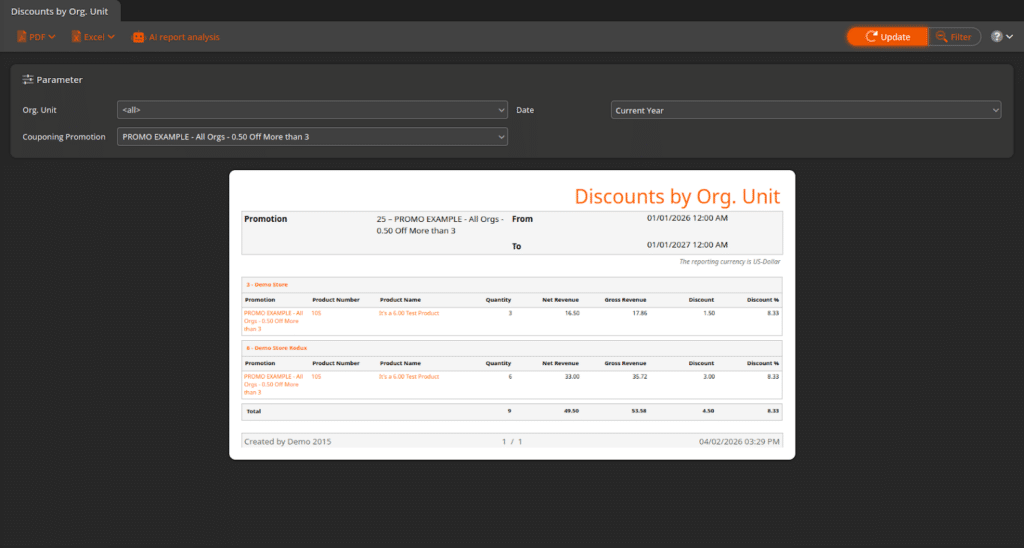
New Report: Discount by Orgizational Unit
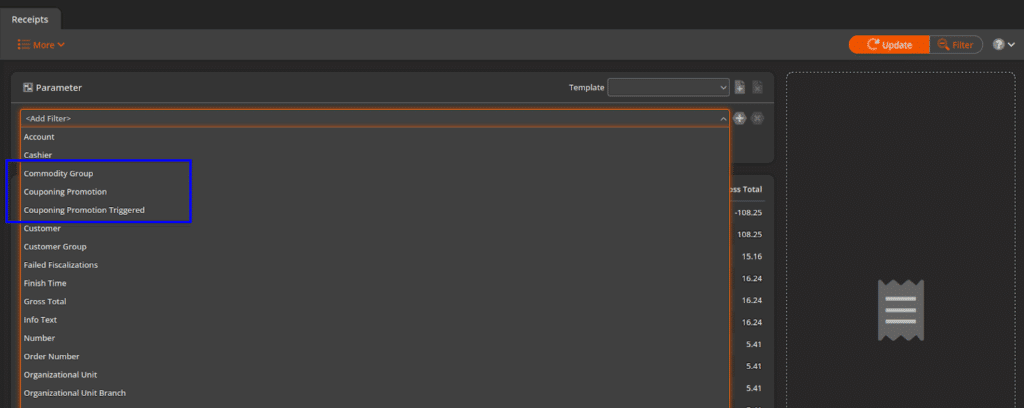
You can now see how a Couponing Promotion is being redeemed across all Organizational Units in your account, including Gross and Net Revenue, and Total Discount.
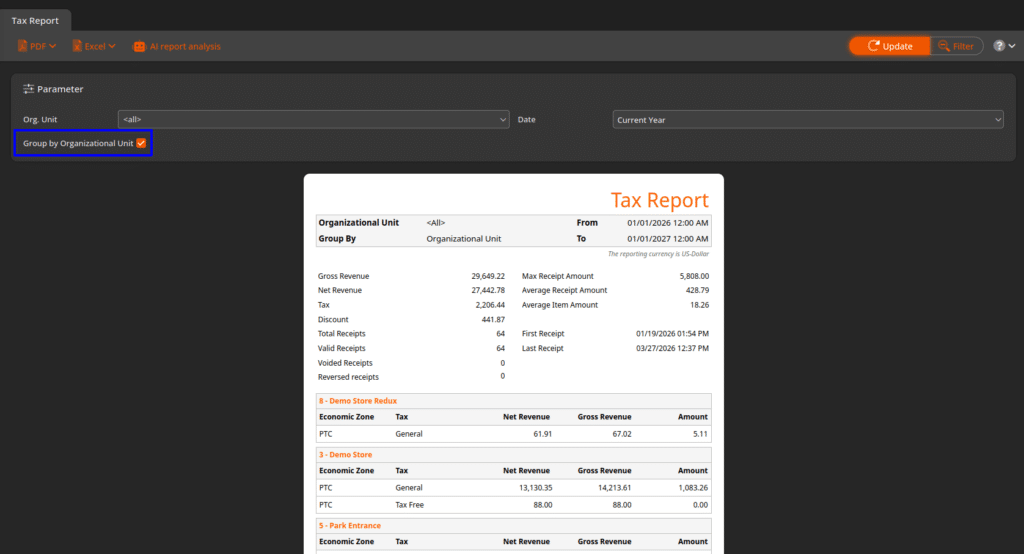
New Option in Tax Report
The Tax Report can now display multiple Organizational Units and group the appropriate Econ Zones and Taxes into a single report.
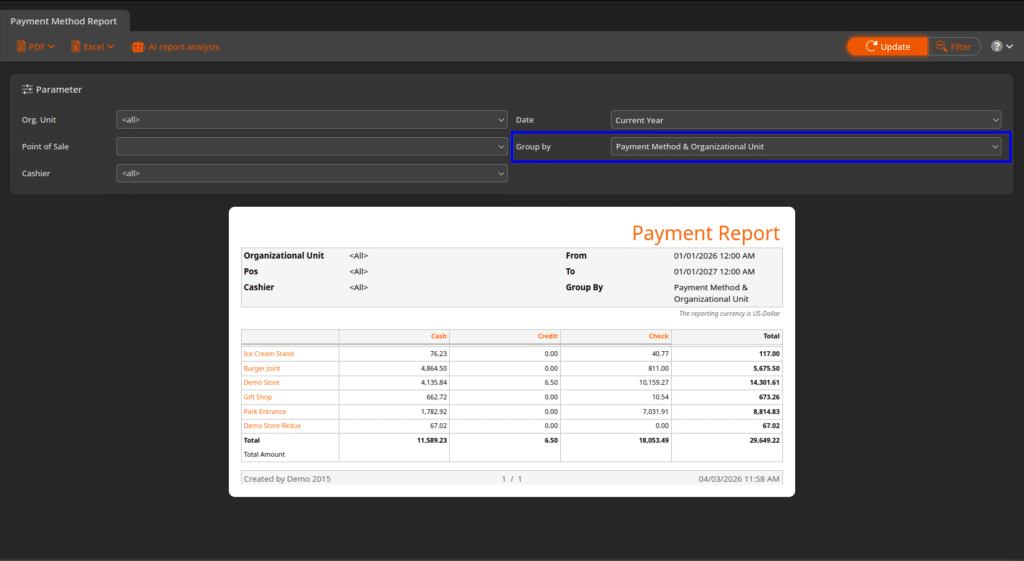
New Option in Payment Method Report
The Payment Method Report has a new “Group By” option: Payment Method & Organizational Unit. This allows users to view Cash, Credit, etc., across all locations in your account on one report.
Automatic Price Adjustment updates Product Container Prices
Previously, the Automatic Price Adjustment tool would only update the base retail price of a product, which made it less helpful for managing products with Containers. The tool has now been updated to adjust any container products attached to the product.
*Note: Automatic Price Adjustment is only available as part of our Plus Package
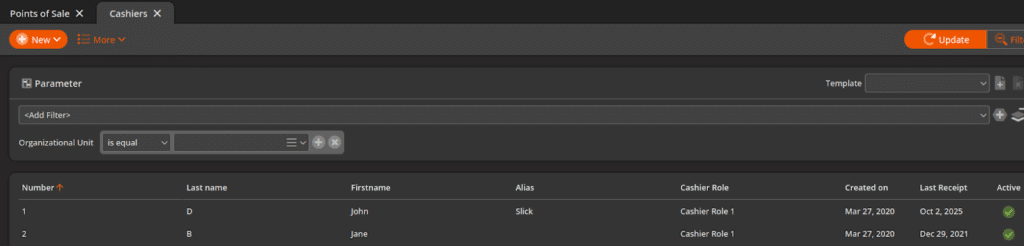
There is now a filter option for Organizational Unit under cashiers to help track which cashiers have POS access in specific locations.
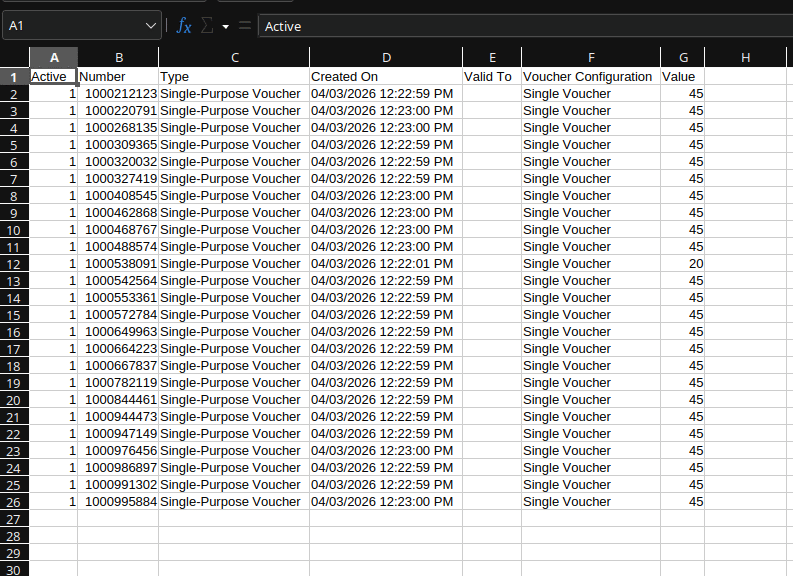
Vouchers exported in .csv and .xlsx format
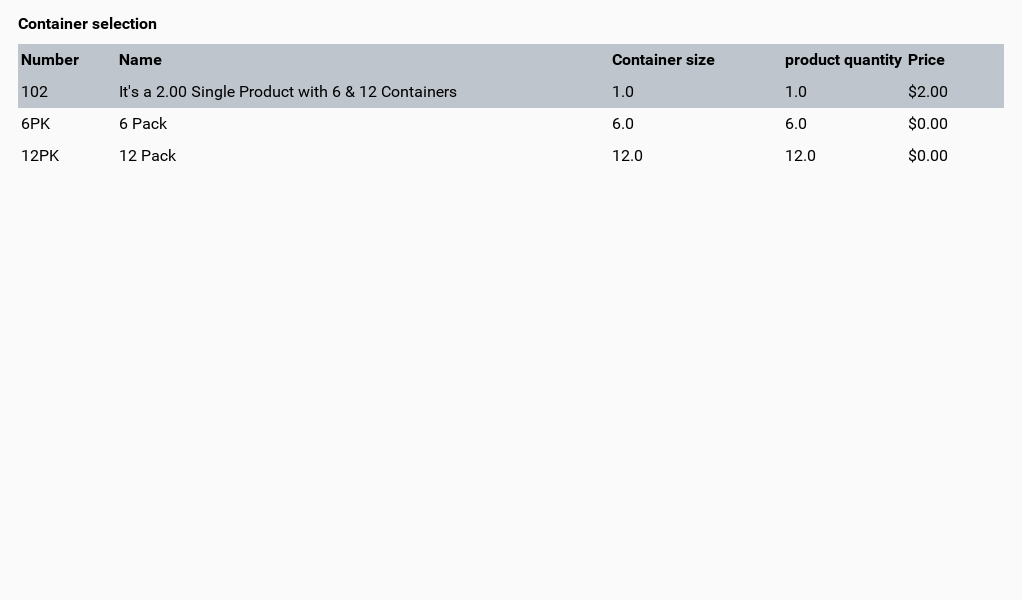
Containers sort logically at the POS
Containers at the POS will now display from smallest to largest to help decrease cashier margin of error.
Cashier alerts for drawers with high dollar amounts
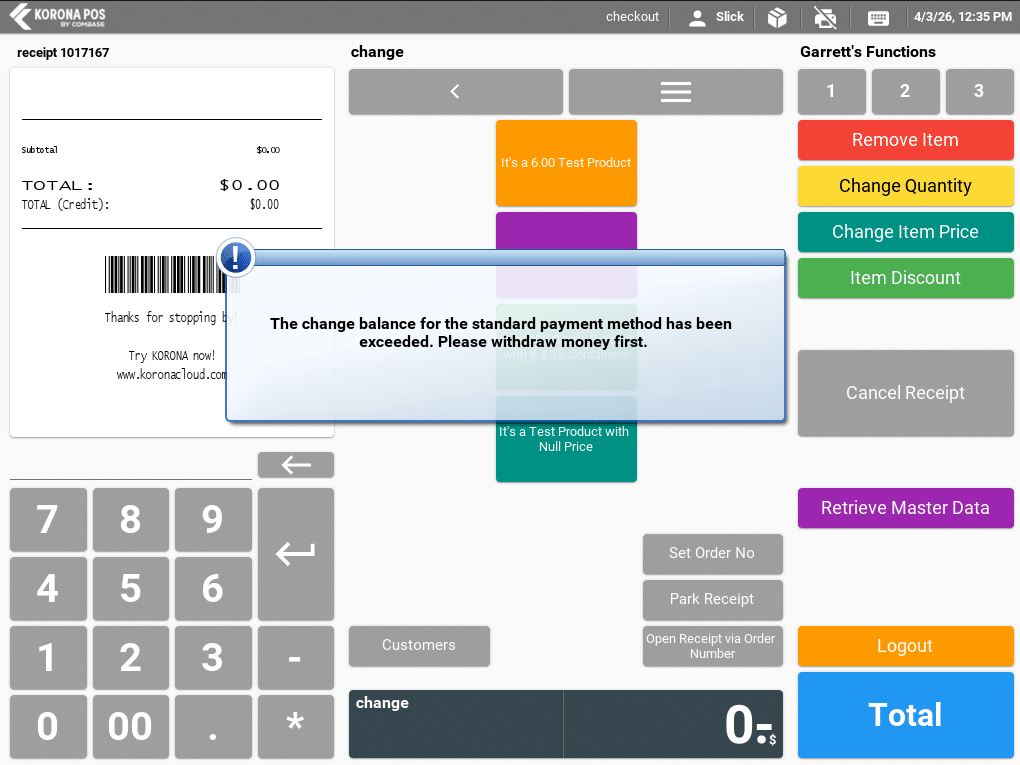
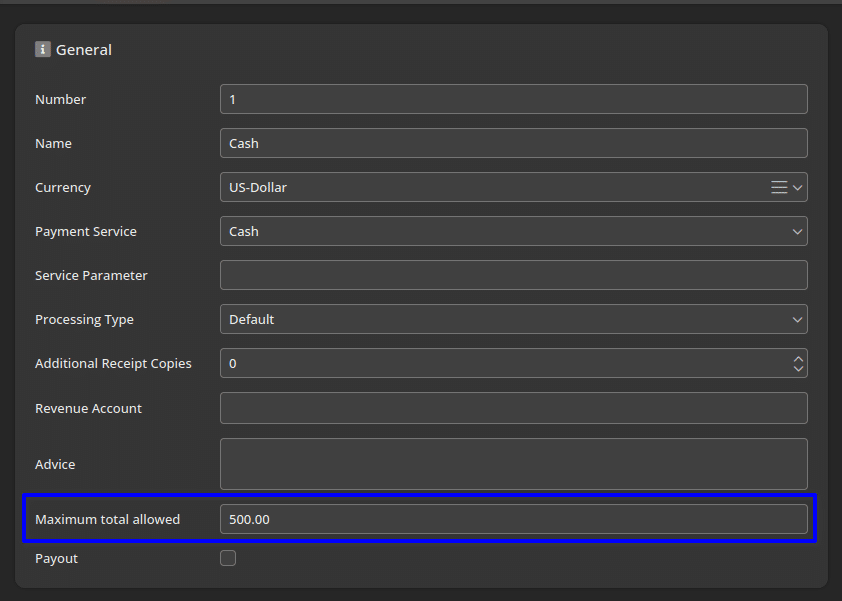
Payment Methods now have a field called “Maximum total allowed” that allows users to set a dollar limit to the drawer. When the cashier’s drawer surpasses the set amount, they will receive notifications to drop money from the drawer.
Products with no price will always prompt for price
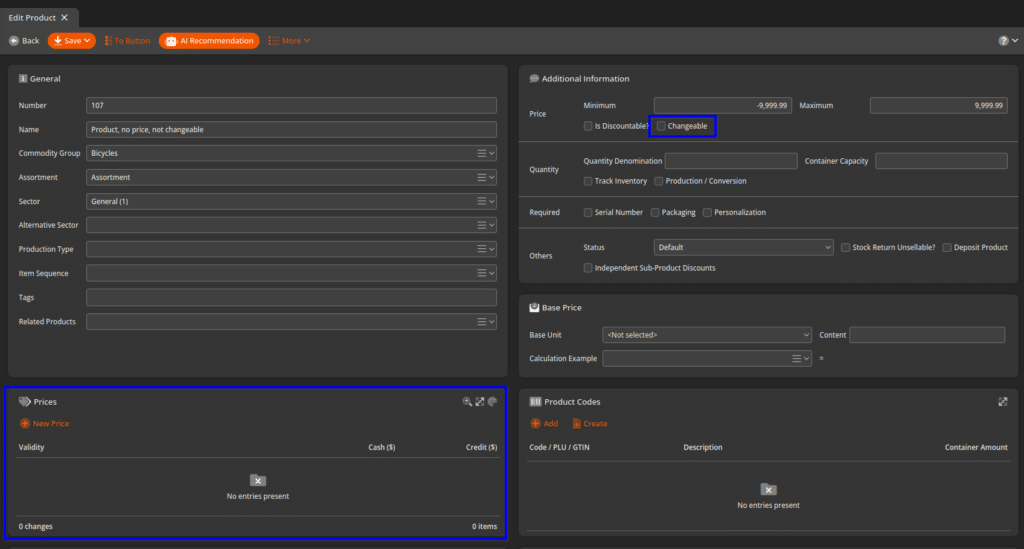
Previously, if a product had no price and was not flagged as “Changeable” the POS would default to a $0 retail price. This could lead to errors where cashiers could finish transactions with products that were not priced.
We have applied a fix to this, and products without price will always prompt for a price prior to the total screen going forward.
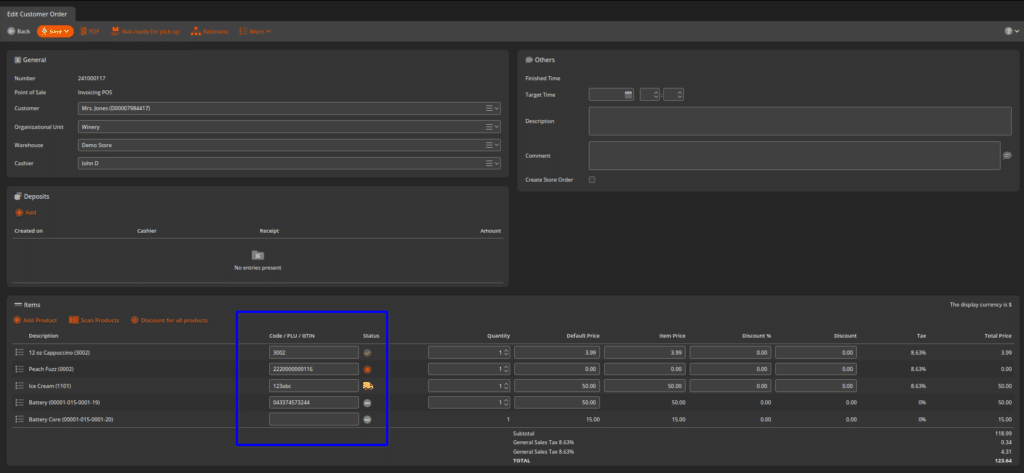
Customer Orders now have a Code/PLU/GTIN column, similar to the Stock Receipt
For more information, check out our KORONA Manual YouTube channel, reach out to our team at support@koronapos.com, or call us (for non-emergencies) at 833-200-0213 from 6AM-6PM PT M-F.